Sago Mini School Toddler Games
- 3.5
- Rating
- 5.00M
- Installs
- Free
- Price
 Analysis by App-foxy
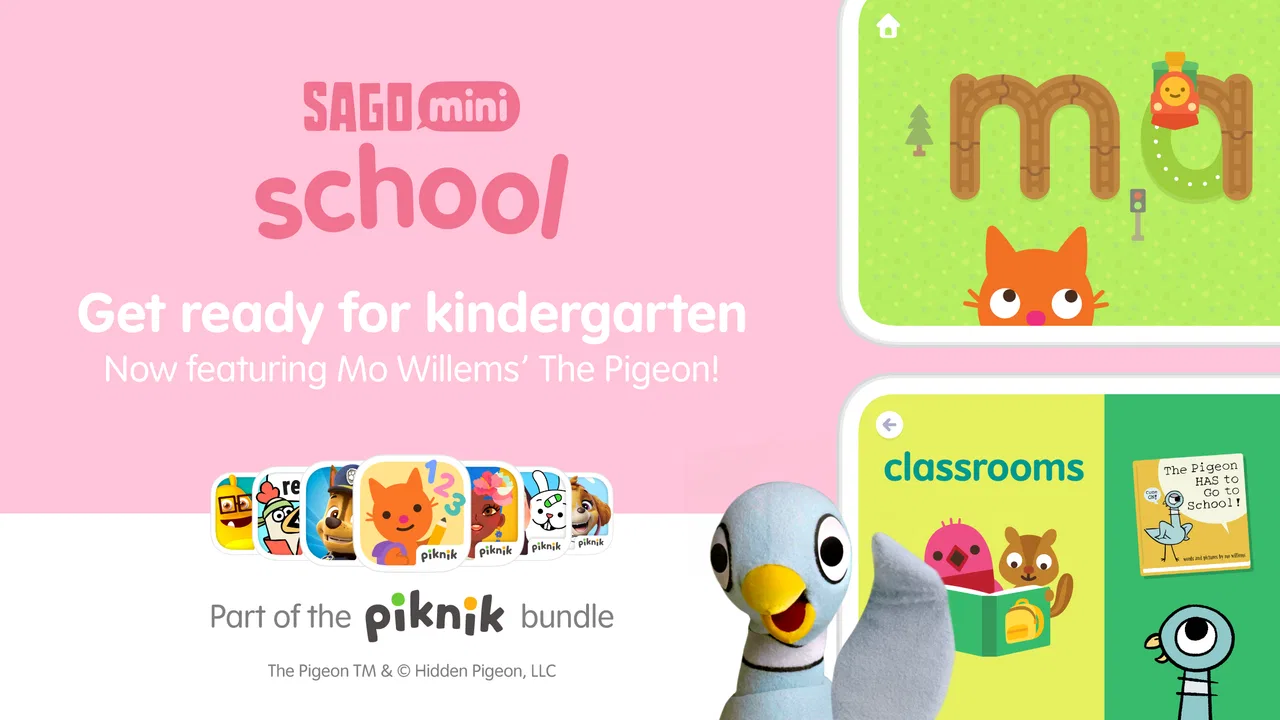
I found Sago Mini School most useful when I treated it less like a game to “finish” and more like a small learning space a child can visit regularly. It is an educational game from Play Piknik for children aged two to five, with activities built around early ideas such as letters, numbers, recognition, matching, and simple problem solving. The presentation is playful enough to invite a young child in, but the real value comes from how easily an adult can turn a short play session into a repeatable routine.
That distinction matters. A preschooler may open it because the characters and colorful activities look inviting, while a parent usually wants something calmer and more purposeful than an endless stream of random entertainment. In my experience, this app sits somewhere between a digital activity book and a playful classroom corner. It does not replace talking, drawing, counting objects, or reading together, but it can give those everyday lessons a friendly starting point.
How I used it as a repeatable learning routine
The simplest workflow is to begin with a clear goal instead of handing over the device without direction. For example, I might say, “Let’s find some letters,” or “Let’s play with numbers for a little while.” That small introduction changes the session. The child is still free to explore, but the activity has a purpose, and I can connect what appears on screen with something familiar away from it.
You May Also Like

 Blood Strike: 2.5 Anniversary
Blood Strike’s Loadouts Turn Every Drop Into a Tactical Gamble
A close look at Blood Strike’s custom loadouts: how fast access to signature weapons reshapes its battle royale rhythm, rewards preparation, and narrows the gap between fights.

 Pandora - Music & Podcasts
Pandora’s Music Is Easy to Start, but Harder to Recover
Pandora’s strength is its low-effort path from a seed to a station. Its weak spot is how much confidence it asks you to place in connection, setup, and quiet recovery.

 8 Ball Pool
 Is Built on Rivalries, Rematches, and Routine
A close look at the rivalries, rematches, shared routines, and unanswered safety questions that turn a quick pool match into a persistent mobile community.

 Samsung Music
’s Quiet Strength Is Playing What You Already Own
Its reach comes less from spectacle than from dependable access to a personal library. That simplicity is both the app’s strongest retention engine and its ceiling.

 AccuWeather: Weather Radar
AccuWeather Review: A Quick, Clear Forecast for Everyday Decisions
For everyday plans, the best forecast is the one you can understand quickly. AccuWeather makes rain timing, radar, and local conditions easy to act on, with a few trade-offs.

 Hill Climb Racing
Why Hill Climb Racing Still Turns Crashes Into One More Run
A tiny car, a bumpy hill and one more upgrade: Hill Climb Racing keeps resurfacing because its simple chaos makes every near-miss feel personal.
More From Our News Desk



For a two-year-old, I would keep the interaction very short and focus on tapping, dragging, recognizing pictures, and following simple prompts. At the older end of the intended age range, I would use the same activity as a conversation starter: asking the child to name a letter, count aloud, describe a color, or explain why an answer seems right. The app works better when the adult adds language rather than sitting completely outside the experience.
A realistic use case is the awkward period before leaving home. A child may be dressed but restless while a parent finishes packing. I would open a familiar activity, set a simple boundary such as one short session, and sit nearby for the first few minutes. Instead of using the game as a silent babysitter, I could ask the child to show me what they discovered. That makes the screen time feel more intentional and also gives me a quick sense of whether the activity is genuinely understandable.
Another useful routine is a quiet transition after preschool or daycare. Children often need a gentle change of pace before dinner, but they may not have the energy for a demanding lesson. The colorful, low-pressure format makes this kind of transition easier than a worksheet, especially when the child is willing to explore without being corrected constantly.
I would not use every session to test progress. Preschool learning is often uneven: a child may recognize a letter one day and ignore it the next. The better habit is to notice what attracts attention and then repeat that theme later. If numbers hold interest, I might count snacks or toys afterward. If an alphabet activity catches on, I might look for the same letter in a book. The game becomes a prompt for real-world practice rather than the entire lesson.
That approach also helps answer an important question: is this suitable for independent play? Sometimes, yes, particularly once a child understands the basic touch interactions. However, independence depends on age, confidence, and the specific activity. A younger child may need help finding the intended action, while an older preschooler may navigate more comfortably. I would still check in regularly, because a child can appear busy while misunderstanding the task.
What I would check before handing over the device
The first practical detail is the device itself. The game supports Android devices running version 7.0 or later, so I would check compatibility before planning a trip or a classroom-style activity around it. It is also available as a free download, which makes trying the basic experience straightforward, but the presence of in-app purchases means I would review the purchase controls before giving a child unsupervised access.
The purchase range is from $7.99 to $99.99 per item, so this is not a detail I would leave to chance. I would make sure the device’s purchase authentication is active and avoid letting a child explore payment screens. This is especially important because young children may tap attractive buttons without understanding that a transaction is involved. The game’s Everyone age rating describes its broad suitability, but it does not remove the need for sensible family settings.
I would also check the sound level before a child starts playing in a quiet room. Preschool apps often use audio cues to make actions understandable, yet repeated sounds can become tiring for adults nearby. A comfortable volume makes shared play more pleasant, and it prevents the child from relying only on audio prompts when I want to encourage them to look closely at the visual clues.
Screen position is another small but worthwhile adjustment. A tablet lying flat on a table can encourage a child to lean too close, while holding it at an awkward angle may make dragging difficult. I prefer a stable position where the child can use both hands comfortably and where I can see the screen without taking the device away. That arrangement makes it easier to offer help with words instead of immediately completing the task for them.
I would not assume that the most colorful activity is automatically the best starting point. A child who is tired may do better with a familiar matching task than with something requiring several new actions. A child who is eager to move may need an activity that responds quickly to tapping or dragging. Watching the first minute tells me more than choosing based on the title of a lesson.
Shortcuts that make sessions smoother
Experienced use here is mostly about habits, not secret controls. I keep the opening instruction consistent, choose one learning idea, and stop while the child is still comfortable. That pattern reduces the chance that the session turns into aimless switching between activities. It also gives the child a predictable beginning and ending, which is often more effective than announcing an exact target they are not ready to meet.
I like using a “show me” prompt. Rather than taking the tablet and demonstrating every answer, I ask the child to show me what to do next. If they hesitate, I offer a small clue instead of solving the activity. This preserves the useful struggle. The child learns to inspect the screen, try an action, and recover from a mistake, rather than learning that an adult will quickly take control.
A second helpful pattern is alternating digital and physical examples. If the game presents a number, I might ask the child to find the same number on a page or count three blocks. If it presents a letter, I might look for that letter on a cereal box. These follow-up activities take almost no preparation, but they prevent the child from treating the lesson as something that exists only inside the tablet.
For families with more than one young child, I would avoid making the app a competition. A younger child may need time to explore while an older sibling wants to answer quickly. Taking turns as the “helper” can work better than comparing who is faster. The older child can name colors or explain an action, while the younger child still gets direct control. This turns a potential argument over the device into a small shared activity.
Another practical habit is ending with a question rather than an abrupt lockout. I might ask which activity the child liked or what they remember seeing. The answer is not a formal assessment, but it reveals whether the game held attention and whether the learning transferred into conversation. If the child cannot explain anything and is only asking for more tapping, I would shorten the next session or choose a different kind of activity away from the screen.
Parents often ask whether repeating the same activity is worthwhile. I think it can be, especially for younger children. Repetition lets them move from guessing to recognition and then toward confidence. The trade-off is that repetition can become mechanical if the adult never changes the conversation. I would repeat the activity, but vary the questions: name the item, count it, find something similar, or connect it with a real object.
Where the learning design works, and where it stops
The strongest part of the experience is its accessibility for early learners. A preschooler does not need a long explanation before trying an activity, and the playful framing makes practice feel less like correction. The educational category is clear in the way the game focuses on foundational topics rather than advanced academic work. That makes it a sensible option for first exposure, especially when a child resists paper exercises.
Still, I would not mistake friendly presentation for a complete curriculum. Children who already read simple words, count confidently, or need structured handwriting practice will outgrow parts of this type of experience. A physical book, manipulatives, teacher-led instruction, or a more focused literacy and numeracy tool may be better when the goal is measurable progression in one narrow skill.
The app is also not the right choice for a family looking for a competitive game with levels, scores, or an intense sense of achievement. Its appeal is gentler. That can be a benefit for a sensitive child, but a drawback for a child who only stays engaged when there is a clear challenge or reward. I would judge it by whether the child returns willingly and talks about the activity, not by how quickly they move through it.
The free entry point is helpful, but the in-app purchase structure affects the overall decision. Families who want a completely purchase-free experience may prefer an app with no paid expansion at all, even if its activities are less polished. On the other hand, someone who wants to sample the format before deciding may appreciate being able to start without paying upfront. I would make that choice after checking which content is available in the initial experience and setting purchase protections first.
There is also a social limitation. The game can support conversation, but it cannot read a child’s mood, correct pronunciation thoughtfully, or adapt like a patient adult who knows the child well. A parent may need to translate an activity into simpler words or stop when frustration appears. If the child is struggling with a particular concept, I would use the game as one example and bring in physical objects or a teacher’s guidance rather than repeatedly pushing the same screen.
Its audience is deliberately narrow, which is both a strength and a boundary. The Everyone rating makes it broadly appropriate from a content perspective, but the learning design is aimed at children from two to five rather than older students. A family with an early elementary learner should not choose it simply because the child enjoys colorful characters. The fit depends on developmental level, not just age on the account.
My verdict after looking at the whole experience
Play Piknik has made a preschool game that I would recommend to parents who want short, approachable learning sessions rather than a replacement for school. The app’s roughly 3.9 average from about 7.9 thousand ratings and more than one million installs suggest that it has reached a substantial audience, while the current version, 5.3, shows that it remains an actively maintained product in its store presence. Those figures are useful context, but my decision would still come down to the child’s temperament and the family’s willingness to play alongside it.
I would choose it for a two-to-five-year-old who enjoys touch activities, benefits from repetition, and responds well to gentle encouragement. I would especially recommend it to a parent who is prepared to connect screen activities with counting toys, looking for letters, naming objects, and talking about what happened. That is where the app feels most valuable: not as an isolated digital lesson, but as a convenient spark for a broader learning habit.
I would skip it if the priority is advanced academic practice, detailed progress tracking, completely passive entertainment, or a no-purchase environment with no additional decisions. I would also look elsewhere for a child who becomes overstimulated by colorful digital play or who learns better through movement and physical materials. In those cases, blocks, puzzles, books, drawing, and real conversations may offer more than another screen session.
My best recommendation is to establish a small routine before judging it. Check the device requirements, secure purchases, choose one activity, stay nearby, and finish with an offline question or task. After several sessions, you will know whether the child is exploring meaningfully or merely tapping for stimulation. The real strength is not unlimited screen time; it is the repeatable bridge between playful practice and everyday learning.
As a free educational game from Play Piknik, it is easy to try, and its Everyone rating makes it approachable for family use. The age focus, optional purchases, and gentle style make its position clear: this is a companion for early learning, not an all-purpose school system. Used with realistic expectations and a little adult involvement, I think it earns a place in a preschooler’s rotation.
FAQs for Sago Mini School Toddler Games
01What age group is Sago Mini School suitable for?
Sago Mini School is designed for children aged 2 to 5 years. The app offers a variety of educational activities that cater specifically to the developmental needs of toddlers and preschoolers. It focuses on fostering creativity, problem-solving skills, and early literacy in a fun and engaging way.
02How does Sago Mini School ensure my child’s safety online?
Sago Mini School is committed to providing a safe environment for children. The app is ad-free and does not require internet access, ensuring a secure experience. Additionally, it does not collect personal data, and all interactions are designed to be kid-friendly and age-appropriate.
03What kind of activities can my child expect in Sago Mini School?
The app offers a wide range of activities, including interactive stories, puzzles, and creative drawing exercises. Each activity is designed to promote essential skills such as critical thinking, creativity, and early math and literacy. New content is regularly added to keep the learning experience fresh and exciting.
04Is Sago Mini School a free app or does it require a subscription?
Sago Mini School offers a free trial period, allowing users to explore the app’s features before committing. After the trial, a subscription is required to access all content. This subscription model ensures continuous updates and the addition of new educational materials for a comprehensive learning journey.
05Can multiple children use the same Sago Mini School account?
Yes, Sago Mini School allows for multiple profiles under the same account. This feature is particularly useful for families with more than one child, as it enables personalized learning paths and tracks individual progress, making it easier for parents to monitor each child’s development.
Pros
- Engaging activities tailored for young kids.
- Intuitive interface with bright visuals.
- Encourages creativity and problem-solving.
- Regular updates with new content.
- Ad-free experience for uninterrupted play.
Cons
- Limited content in free version.
- Requires internet for certain features.
- Subscription model may deter some users.
- Not suitable for older children.
- May use significant device storage.

Sago Mini School Toddler Games
Gallery